
You are using an out of date browser. It may not display this or other websites correctly.
You should upgrade or use an alternative browser.
You should upgrade or use an alternative browser.
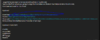
When Packing or Compressing, it is compressed as Version 2 instead of 3 (look at the ninth byte). I think the whole Header position is wrong. I think that is the reason for after repacking, the file cannot be unpack. Please take a look at the attached.
Attachments
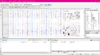
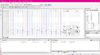
Updated! bin file dump fixed.
Thanks so much Mr Ashlay !

Updated fixed a mistake on repacking old version.
bnsdat can't recreate the new dat file checks.When Packing or Compressing, it is compressed as Version 2 instead of 3 (look at the ninth byte). I think the whole Header position is wrong. I think that is the reason for after repacking, the file cannot be unpack. Please take a look at the attached.
Updated fixed a mistake on repacking old version.
bnsdat can't recreate the new dat file checks.
Could you please provide some instructions on how the latest translation works on V3? Like, which files to select, and the proper way to translate.
I'm confused about the options on both auto and manual translations, which one should i choose the old style translation.xml? and what's source file and merge file?(I'm generating my own translation.xml and it's ready)
Also, since other regions haven't updated to V3 yet, how would bnsdattool do the unpacking part on translation? specifically, the sourceFile part(I assume that's the source of translation)
IIRC, doesn't the bnsdattool translate the .bin files? without unpacking it? why is it asking for local.dat?
You can only extract/export V3 translation not work for V3 files.Could you please provide some instructions on how the latest translation works on V3? Like, which files to select, and the proper way to translate.
I'm confused about the options on both auto and manual translations, which one should i choose the old style translation.xml? and what's source file and merge file?(I'm generating my own translation.xml and it's ready)
Also, since other regions haven't updated to V3 yet, how would bnsdattool do the unpacking part on translation? specifically, the sourceFile part(I assume that's the source of translation)
IIRC, doesn't the bnsdattool translate the .bin files? without unpacking it? why is it asking for local.dat?
You can only extract/export V3 translation not work for V3 files.
Thanks for the reply. Will you be committing the new changes to your github repo?
Post automatically merged:
I've tested translation on old versions of bnsdattool(unpacked with V3 unpacker), and the translation part still works.You can only extract/export V3 translation not work for V3 files.
Last edited:
このツールはまだ機能しますか?韓国のサーバーで使用できますか?
ええ 、V3を選択します
Added a guide on the first post.Would appreciate if someone can make a guide of translating Blade and Soul to English with the new updates.
Thank you very much
Get bnspatch here https://github.com/bnsmodpolice/bnspatch
and if you want more info join their discord.
You can find it on Mod Police Discord #bnspatch-plugins channel.
and if you want more info join their discord.
Where can I get binloader.dll?
You can find it on Mod Police Discord #bnspatch-plugins channel.
I managed to unpack the english version of local64.dat by selecting V3, but couldn't unpack the japanese version of local64.dat with V3 nor JP region. The log window just turns gray and nothing happens.
Last edited:
you can unpack jp xml.dat?I managed to unpack the english version of local64.dat by selecting V3, but couldn't unpack the japanese version of local64.dat with V3 nor JP region. The log window just turns gray and nothing happens.