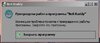

That's really weird. Even tho i added a try catch for the whole startup it won't show any messages for all of you.Yes.
EDIT: I've run both sfc and DISM just incase. No errors found.
I can't figure out what causes it because there is no stacktrace.
That's really weird. Even tho i added a try catch for the whole startup it won't show any messages for all of you.Yes.
EDIT: I've run both sfc and DISM just incase. No errors found.


I don't know about everyone, but I'm in Europe. The previous version of the program worked fine.I haven't asked, but what regions do you all play on with this error?
Alright, I'm still trying to find what could cause the issue. It's a real pain xDI don't know about everyone, but I'm in Europe. The previous version of the program worked fine.
That error log is from the previous version.That ones works. It loads up. I'm on EU as well.
My event viewer still shows errors for it though.View attachment 4894
EDIT: This is the log from BNSbuddy(doesn't look like any errors there):
Creating Settings...
Updating Settings...
Updated Settings
Reading Registry...
E:\BnS\BnS\
Reg Key Valid!
Path Found!
Lang Found!
languageID = English
Path Validated!
Reading Registry...
C:\Program Files (x86)\NCSOFT\NC Launcher 2
Reg Key Valid!
Changed RegionID to EU!
Online Version: 166
Local Version: 166
Client up to date.
Adding available servers...
Added
Checking For Backups
Extracting system.config2.xml for verification from config.dat
Using Online Keyset
Extracted
Checking system.config2.xml if modded
config.dat is Clean
Extracting system.config2.xml for verification from config64.dat
Using Online Keyset
Extracted
Checking system.config2.xml if modded
config64.dat is Clean
Cleaning Mess (1)
Cleaned
Done Cleaning (1)
Mess Already Cleaned (2)
Mess Already Cleaned (3)
Domain validated
Grabbed: 5.9.7.2
Up to date.
Getting Ping From Server...
Got Ping.
one more thing. Can you delete one dll at a time (or move to another folder as backup) at every bnsbuddy startup until you find the culprit? That'd help me a lot. I'm going to bed. brb in 8-9 hoursThat ones works. It loads up. I'm on EU as well.
My event viewer still shows errors for it though.View attachment 4894
EDIT: This is the log from BNSbuddy(doesn't look like any errors there):
Creating Settings...
Updating Settings...
Updated Settings
Reading Registry...
E:\BnS\BnS\
Reg Key Valid!
Path Found!
Lang Found!
languageID = English
Path Validated!
Reading Registry...
C:\Program Files (x86)\NCSOFT\NC Launcher 2
Reg Key Valid!
Changed RegionID to EU!
Online Version: 166
Local Version: 166
Client up to date.
Adding available servers...
Added
Checking For Backups
Extracting system.config2.xml for verification from config.dat
Using Online Keyset
Extracted
Checking system.config2.xml if modded
config.dat is Clean
Extracting system.config2.xml for verification from config64.dat
Using Online Keyset
Extracted
Checking system.config2.xml if modded
config64.dat is Clean
Cleaning Mess (1)
Cleaned
Done Cleaning (1)
Mess Already Cleaned (2)
Mess Already Cleaned (3)
Domain validated
Grabbed: 5.9.7.2
Up to date.
Getting Ping From Server...
Got Ping.

System.IO.Compression.dll seems to be the culprit.
 www.bnsbuddy.com
that just means i cant include that dll because ressources are loaded before.. I'll try a workaroundThis dll is required since this version:
Buddy - Update 5.9.6.6
Update 5.9.6.6 + Added: Compression for the resources + Fixed Bug: Forgot to remove a few popups that was used for debugging + Fixed Bug: Processing big search and replace for addons would hang BnS Buddy
The internal resources are now compressed, to save some space on the .exe file (which was ~20MB, down to ~11MB).
Possibly whatever .NET is installed doesn't come with this dll.
I cleared some unused libs and other stuff.No luck. It works when i put the dll back but does not without it. Sorry for the late reply been a bit busy. And about to go for the night.
Side note I've tried reinstalling .net framework and i've also run the "repair tool" provided by microsoft.
https://www.microsoft.com/en-gb/download/confirmation.aspx?id=30135
Is there a build difference between 5.9.7.0(last working version i had) and 5.9.7.2?
I tried all 3 before i did the fix i mentioned above. None of them worked. Once I reinstalled .net with the offline installer all 3 worked.Try all 3 exe and let me know which one works without the dll.