
You are using an out of date browser. It may not display this or other websites correctly.
You should upgrade or use an alternative browser.
You should upgrade or use an alternative browser.
- Status
- Not open for further replies.


The method from the announcement doesn't work thou...
It is working for me now, just saying XDThe method from the announcement doesn't work thou...
can you link it pls?i don't find it.It is working for me now, just saying XD

can you link it pls?i don't find it.
pilao yesterday 16:05
> HOW TO DOWNLOAD AND INSTALL BNSPATCH AND OLD XML EDITS: > 1. Download patches.xml, pluginloader.zip, and bnspatch.zip from here: https://mega.nz/folder/WXhzUZ7Y#XzlqkPa8DU4X8xrILQDdZA > 2. extract pluginloader.zip to get winmm.dll > 3. put winmm.dll in %ProgramFiles(x86)%\NCSoft\BnS\bin64. Overwrite if the file is already present. > 4. extract bnspatch to get a folder named bin64 which contains a folder named plugins > 5. move this plugin folder into %ProgramFiles(x86)%\NCSoft\BnS\bin64 > 6. put patches.xml in %userprofile%\Documents\BnS\ > 7. create folders called addons and patches in %userprofile%\Documents\BnS\ > 8. put old addons from bnsbuddy into %userprofile%\Documents\BnS\addons
courtesy of @Konbo
yeah i tried those,thank you very much,but it didn't work for me,addons don't apply at all.pilao yesterday 16:05
> HOW TO DOWNLOAD AND INSTALL BNSPATCH AND OLD XML EDITS: > 1. Download patches.xml, pluginloader.zip, and bnspatch.zip from here: https://mega.nz/folder/WXhzUZ7Y#XzlqkPa8DU4X8xrILQDdZA > 2. extract pluginloader.zip to get winmm.dll > 3. put winmm.dll in %ProgramFiles(x86)%\NCSoft\BnS\bin64. Overwrite if the file is already present. > 4. extract bnspatch to get a folder named bin64 which contains a folder named plugins > 5. move this plugin folder into %ProgramFiles(x86)%\NCSoft\BnS\bin64 > 6. put patches.xml in %userprofile%\Documents\BnS\ > 7. create folders called addons and patches in %userprofile%\Documents\BnS\ > 8. put old addons from bnsbuddy into %userprofile%\Documents\BnS\addons
courtesy of @Konbo


cela a fonctionné avec succès merci!
maybe because you put your addon folder in the wrong location, the instruction was a bit confusing but it's actually C:\Users\tempe\Documents\BnS\addonsyeah i tried those,thank you very much,but it didn't work for me,addons don't apply at all.
I put them in the same location where i have \NCWEST\ClientConfiguration.xmlmaybe because you put your addon folder in the wrong location, the instruction was a bit confusing but it's actually C:\Users\tempe\Documents\BnS\addons
Post automatically merged:
I forgot to say that i use older vesions bnspatch_2020.06.17 and pluginloader_2020.06.17,because the newer give me error and the client stop loading.
Last edited:
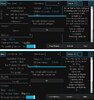
How to repair bnsbuddy?
pilao yesterday 16:05
> HOW TO DOWNLOAD AND INSTALL BNSPATCH AND OLD XML EDITS: > 1. Download patches.xml, pluginloader.zip, and bnspatch.zip from here: https://mega.nz/folder/WXhzUZ7Y#XzlqkPa8DU4X8xrILQDdZA > 2. extract pluginloader.zip to get winmm.dll > 3. put winmm.dll in %ProgramFiles(x86)%\NCSoft\BnS\bin64. Overwrite if the file is already present. > 4. extract bnspatch to get a folder named bin64 which contains a folder named plugins > 5. move this plugin folder into %ProgramFiles(x86)%\NCSoft\BnS\bin64 > 6. put patches.xml in %userprofile%\Documents\BnS\ > 7. create folders called addons and patches in %userprofile%\Documents\BnS\ > 8. put old addons from bnsbuddy into %userprofile%\Documents\BnS\addons
courtesy of @Konbo
it works, thx allot
Install it as described and it will work
I tried 30 minutes ago.
I tried 30 minutes ago.
- Status
- Not open for further replies.