
You are using an out of date browser. It may not display this or other websites correctly.
You should upgrade or use an alternative browser.
You should upgrade or use an alternative browser.
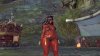
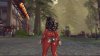
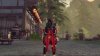
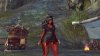
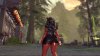

 , my eyes slightly got damaged
It can't be good for a martial artist to use that much baby oil.

RetraCore link the mod upks, please. if it's screenshots to show off without sharing upks you should probably go here:
https://www.bnsbuddy.com/index.php?forums/screenshots-videos-streams.36/
https://www.bnsbuddy.com/index.php?forums/screenshots-videos-streams.36/
Yh i plan to post the upks once i make it back to my pc
--- Merged ---
Beach Day
http://www.mediafire.com/file/c26cp9k9dml2xvt/00039774.upk
Strickly Bussiness
http://www.mediafire.com/file/r71d4b5krhpxb7p/00031528.upk
Red secret (replaces Secret Agent)
http://www.mediafire.com/file/m98g8emgtb3a9c8/modArmor.rar
--- Merged ---
Beach Day
http://www.mediafire.com/file/c26cp9k9dml2xvt/00039774.upk
Strickly Bussiness
http://www.mediafire.com/file/r71d4b5krhpxb7p/00031528.upk
Red secret (replaces Secret Agent)
http://www.mediafire.com/file/m98g8emgtb3a9c8/modArmor.rar
how you you get these ones to work and what opener do i use
how you you get these ones to work and what opener do i use
~ Go to your CookedPC folder (C:\Program Files (x86)\NCSOFT\BnS\contents\bns\CookedPC\ )
~ Make a folder in the CookedPC folder named "mod"
~ Extract the files that you downloaded from the links provided
~ Place extracted folders in the "mod" folder
~ Start game
NOTE** If you are use bns buddy you won't get the ambiguous package check. If you aren't using bns buddy when those checks pop up just hit enter till they go away.
so i use media fire to open it and then put it in its own folder
and this changes beach day
and this changes beach day
oh same its for jin
--- Merged ---
um what does the beach day replace cuz i cant find it or if i did it wrong
--- Merged ---
um what does the beach day replace cuz i cant find it or if i did it wrong
In what way?It's not working :<